Problem Management Process in ITSM
Role: IT Staff / Problem Coordinator / ITIL Resolver
Available for Teams: All Support Teams
A Problem is defined as the underlying cause of one or more incidents or service disruptions.
ITSM Problem Management is a process that focuses on identifying the root cause of recurring requests, implementing temporary workarounds, and deploying permanent solutions to minimize business disruptions.
Access and Roles
- IT Staff & Problem Coordinators: Full permissions to create, update, analyze, and resolve problem records.
- End Users: Cannot submit or view problem tickets from the employee portal.
ITSM Problem Lifecycle States
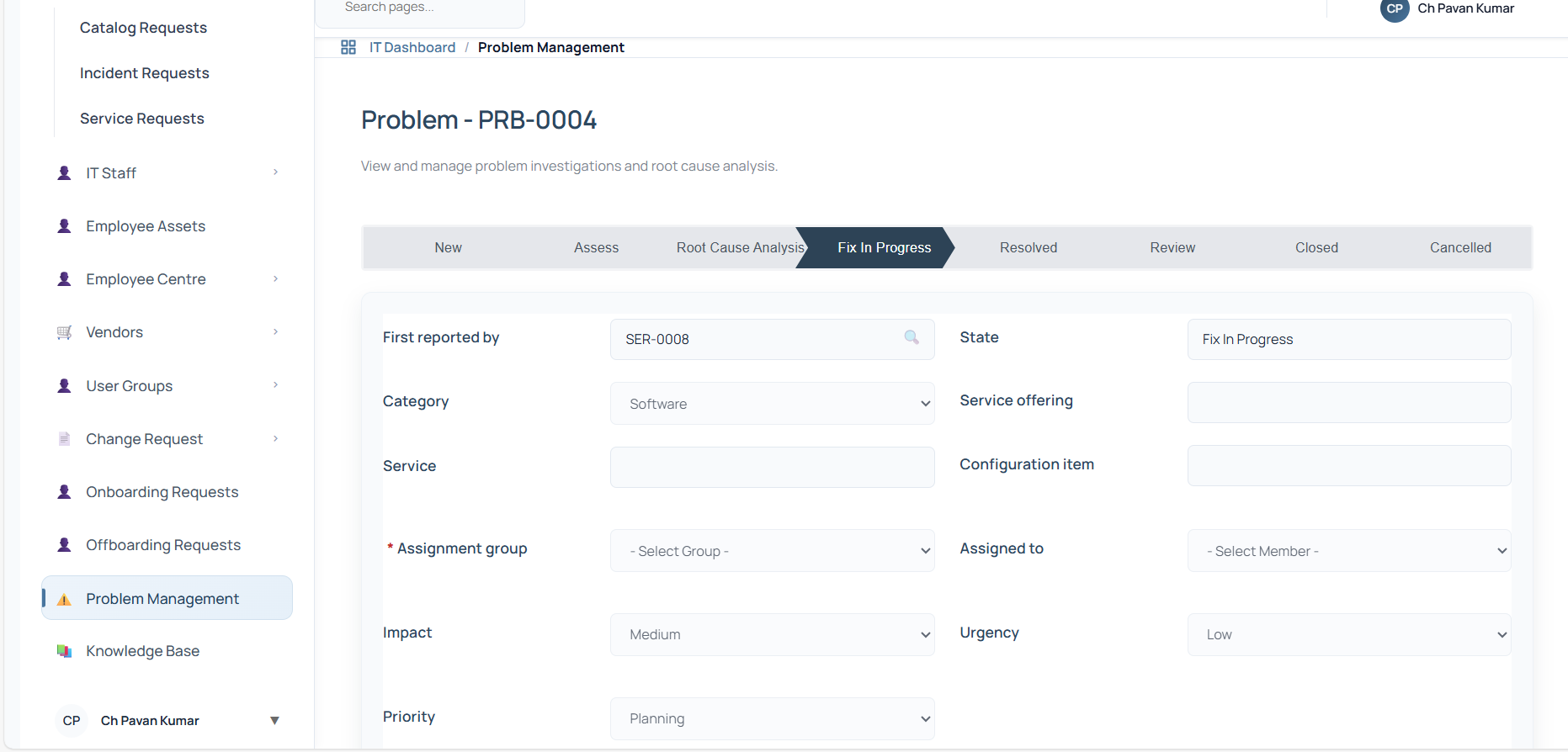
The problem ticket progresses through a defined state machine, tracked by the step-progress bar at the top of the record:
- New: The initial state when a problem record is drafted.
- Assess: The problem is evaluated by the assigned group.
- Root Cause Analysis (RCA): The root cause is investigated. Requires documenting a Workaround and Cause Notes under the Analysis Information tab.
- Fix In Progress: A permanent resolution is developed. Transitioning to this state requires a Fix Note.
- Resolved: The permanent solution is applied and verified.
- Closed: The ticket is finalized and archived (read-only).
- Cancelled: The ticket is cancelled (requires a Canceled reason).
Incident & Request Integration
In the ITSM application, proactive problem management is driven by linking a problem to a source request: - During creation in the New state, the creator must specify the Reported by request. - Clicking View opens a pop-up search modal listing all available Service Requests, Incident Requests, and Catalog Requests. - Selecting a request automatically imports key data into the problem ticket, including the requester's name, category, service, offering, and configuration item.
Permanent Fix vs. Risk Acceptance
When working on a problem in the Fix In Progress state, there are two potential closure paths:
1. Permanent Fix (Standard Path)
- Apply the permanent solution.
- Click Resolve to move the ticket to Resolved.
- Click Close Problem to move the ticket to Closed.
2. Accept Risk (Alternative Path)
If a permanent fix is not feasible (e.g., due to cost, legacy constraints, or vendor limitations): 1. From the Fix In Progress state, click Accept Risk. 2. A popup modal will prompt you to enter a Risk Accepted Reason, document the Workaround, and check the Workaround Applied checkbox. 3. Confirming the risk acceptance transitions the ticket directly to the Closed state with a resolution code of "Closed".
Problem Management Workflow Interface
The ITSM interface consists of two main layouts:
1. Form Fields and Progress
Shows the current state steps, the linked reported request, category/service dropdowns, assignee, impact/urgency, and the statement/description.
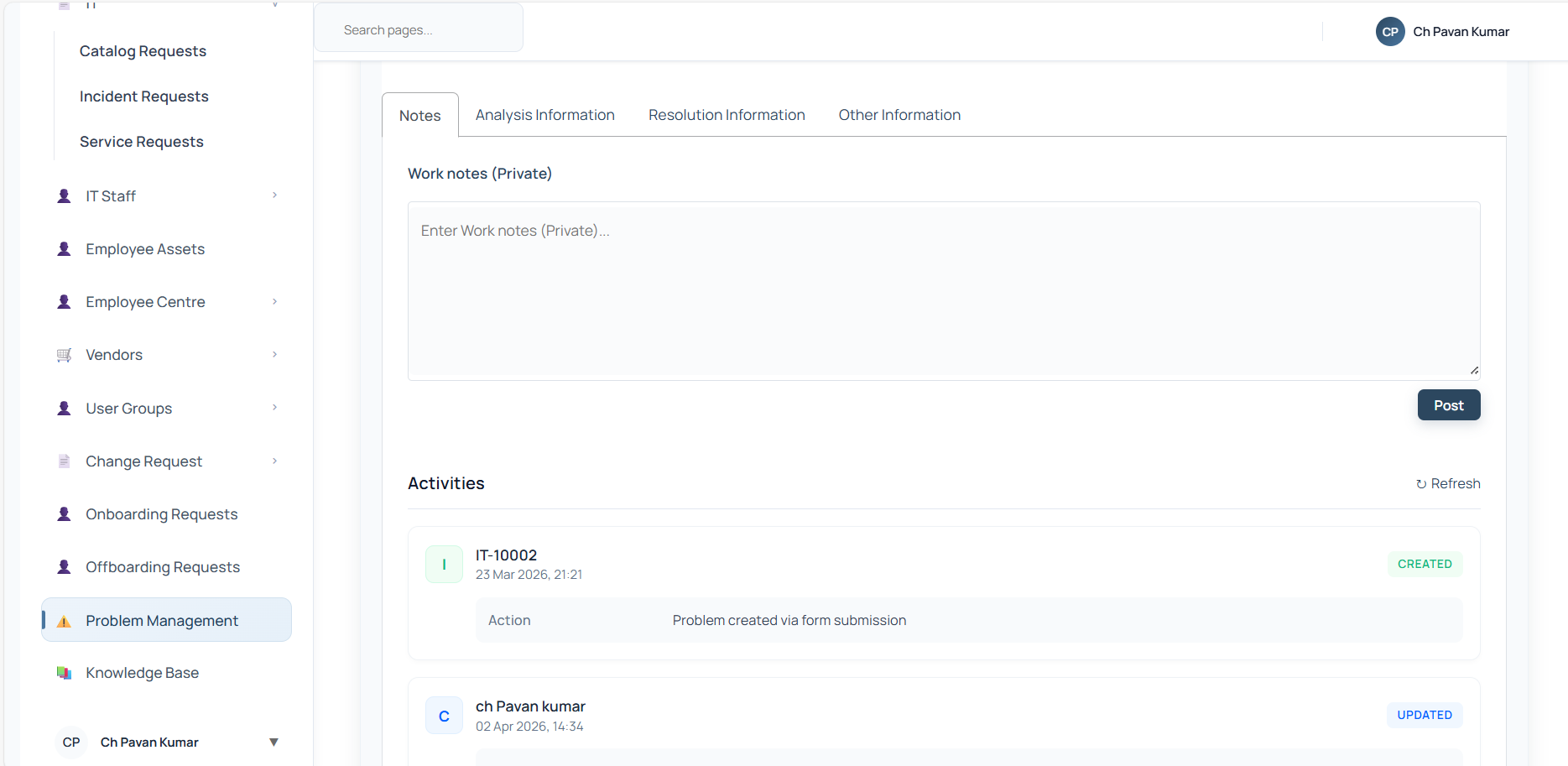
2. Information Tabs & Activity Feed
Shows the Work Notes area, the timeline of activities (which lists who made updates and what changed), Analysis details (Workaround/Cause notes), Resolution details, and tracking metadata.