How can I Approve Requests
Role: itil
Team Accessible to: All Users
In PayG OrionX, there are few Catalogue Items that are configured with Approval Workflow.
Example: Laptop Request, Add Members to Distribution List, etc.
When a user submits a request form, that item gets into approval; the concerned team members of Approval Group will receive the request and will be able to directly access the Approval flow for the items below to assess or validate the requests, to approve or reject.
Steps to Approve Requests
- Access your OrionX instance by logging into:
👉 https://t2.payg-india.com
Based on your current session, you should find directly accessible approval requests.
-
From the OrionX Navigator, type "My Approvals" and select "Self Service > My Approvals".
You will find the list of items that are awaiting your approval. -
The requests with State = ‘Requested’ are awaiting approval.
- The requests with State = ‘Approved’ are already approved.
- The requests with State = ‘Rejected’ are already rejected.
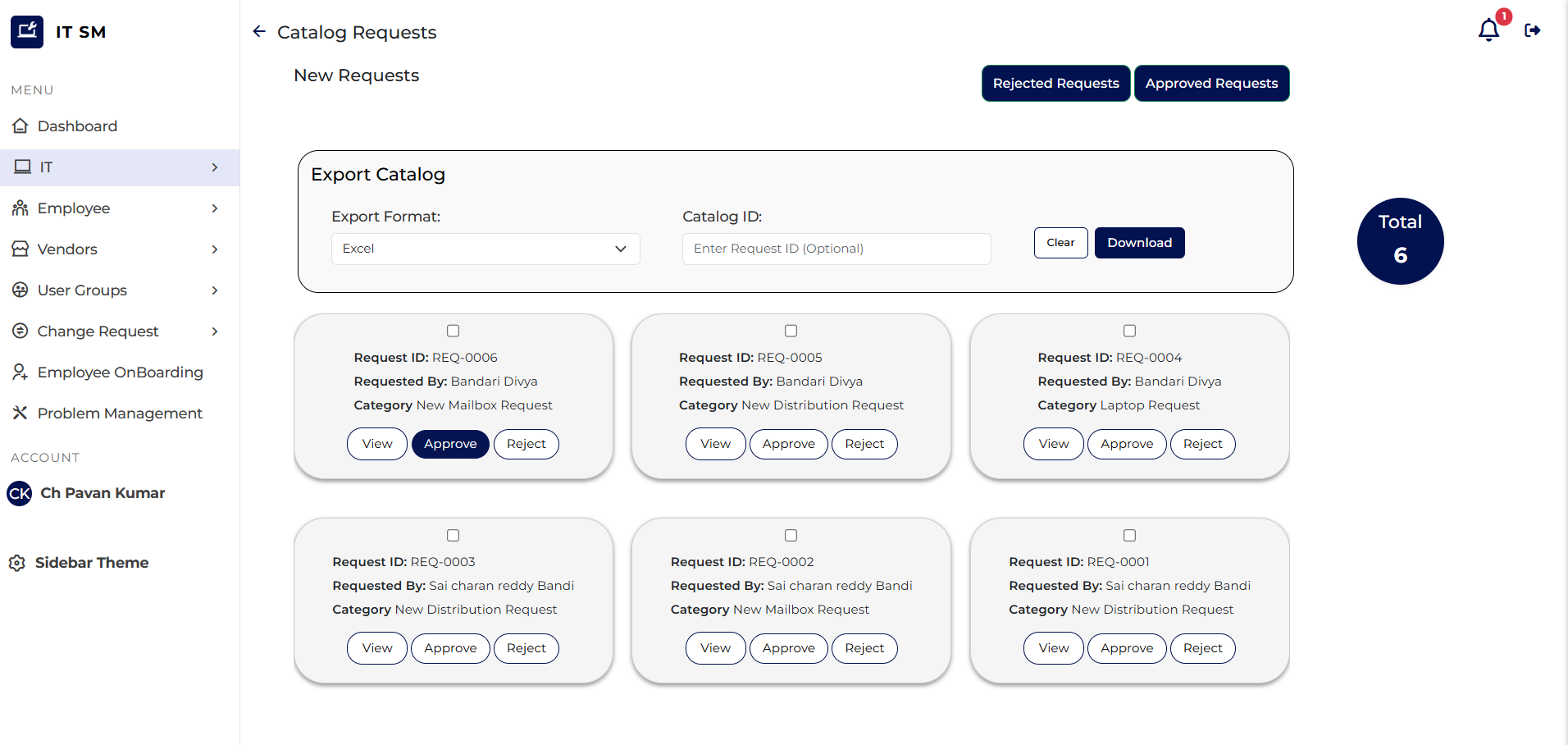
-
Click on "Requested" to open the requested item in detailed view and assess the request with details provided. Click on Item name under Description to see more details about the request.
-
You may either Approve or Reject the request by clicking the respective buttons. You can also add additional comments in the space provided for any special instructions.
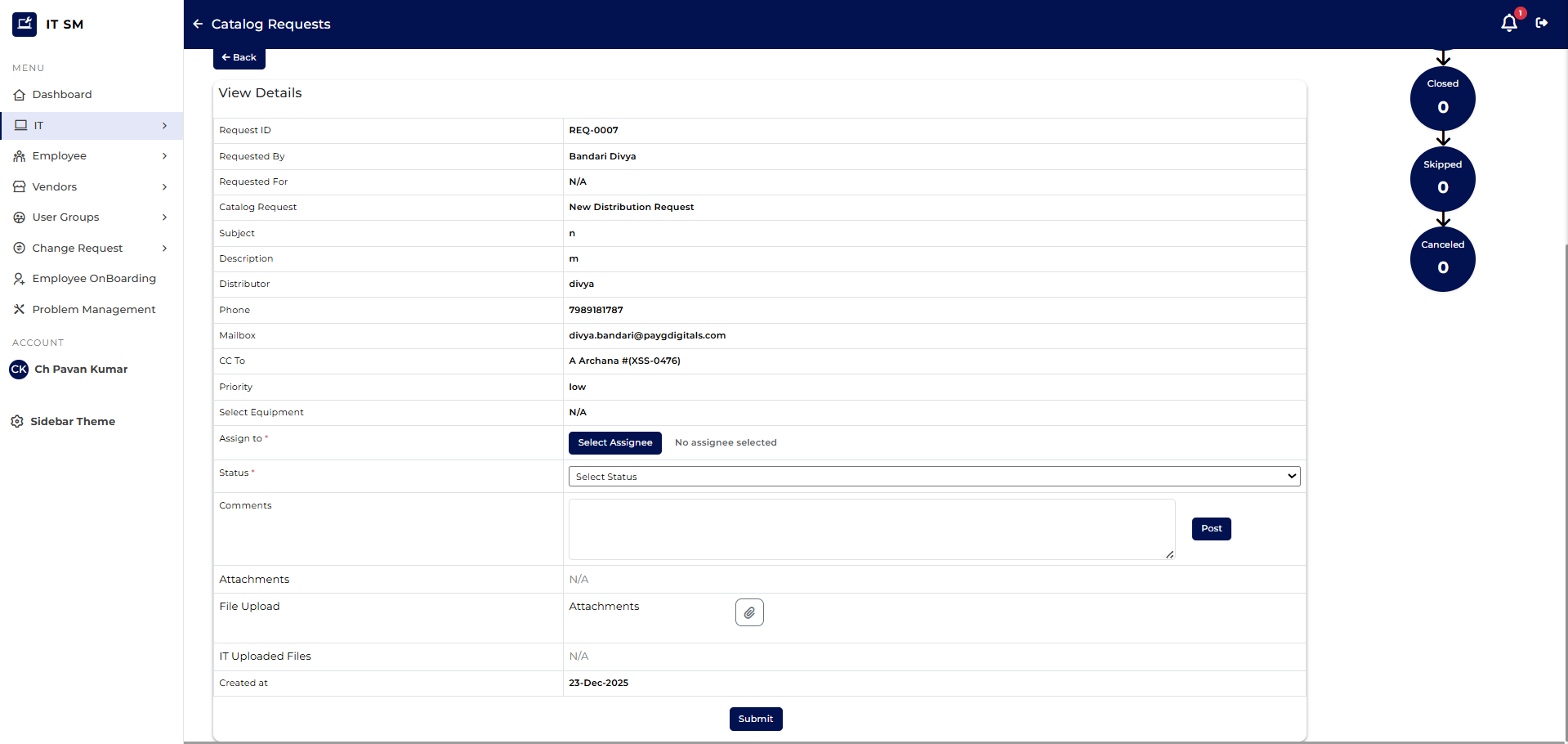 5. Clicking "Approve" button will take you back to list of requests awaiting your approval.
Note: Approvals are triggered based on Workflow and based on catalogue item. Each Catalogue item may have different set of approval(s).